
TIDY Concierge
The Concierge combines our AI agent with 24/7 humans to help.
AI can make mistakes. Please verify important information.
Messages
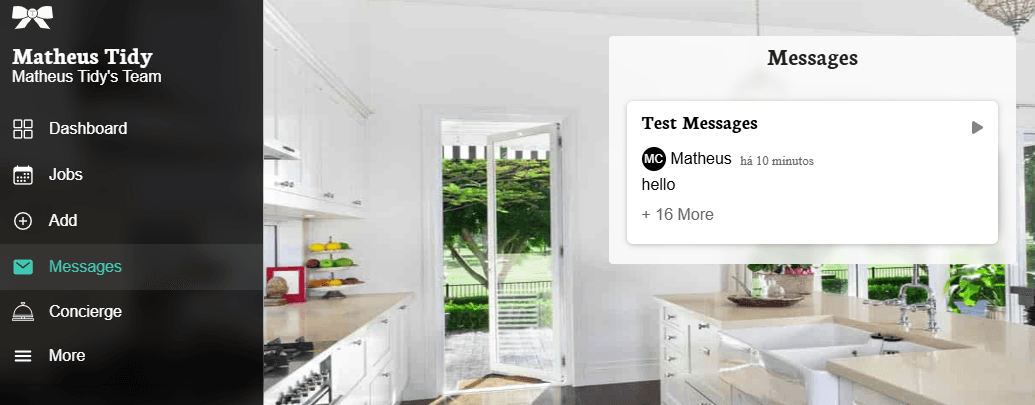
TIDY's messaging system allows you to communicate directly with your clients about jobs and services. All messages are organized by client, making it easy to track conversations and maintain professional communication.
How Messaging Works
The messaging feature keeps all communication in one place, ensuring you never miss important details about a job. Messages are automatically associated with the relevant client, and your clients receive notifications when you send them a message.
Sending Messages
There are two main ways to send messages to your clients:
- From a Job: When viewing a specific job, you can send a message directly related to that job. This is useful for job-specific questions or updates.
- From Messages Section: Access the Messages section in your TIDY for Pros app to view all your conversations and start new ones.
Message Organization
Messages are organized by client in conversation threads. Every message you've sent or received from a specific client appears in their thread, creating a complete communication history. This makes it easy to:
- Reference past conversations
- Track job details and client preferences
- Follow up on previous discussions
- Maintain professional records of all communications
Client Notifications
When you send a message, your client receives a notification via email (if they have email on file) and can reply directly through their client hub or TIDY app. This ensures timely responses and keeps communication flowing smoothly.
Message Etiquette
To maintain professional relationships with your clients:
- Be responsive: Reply to client messages within 24 hours when possible
- Be clear: Use specific details about jobs, timing, and expectations
- Be professional: Keep conversations focused on work-related topics
- Use proper grammar: Clear, well-written messages build credibility
- Confirm important details: Always confirm dates, times, and special requests in writing
When to Use Messages vs. Other Communication
Use TIDY messages for:
- Job-specific questions and clarifications
- Confirming appointment details
- Requesting access information
- Discussing job scope or special requests
- Following up after job completion
For urgent matters during a job, phone communication may be more appropriate.
Privacy and Security
Your messages are private and secure. TIDY does not share your message content with third parties, and only you and your client can see your conversation thread. This protects both your business information and your client's privacy.